Ever hit Friday and wonder where the week went — and why your best intentions turned into random sticky notes? Picture the dining table: laptop open, three to-dos, and zero plan. A weekly planner printable free can flip that script fast.
When days live only in your head, tasks collide. Meetings overrun chores, meals turn last-minute, and small errands snowball into stress. You spend more energy switching modes than doing the work — which is why time slips, priorities drift, and Sunday guilt creeps in.
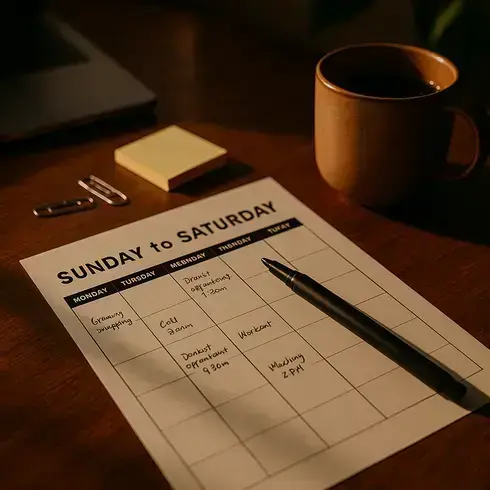
By the end, you’ll map clear goals, block time, and set an easy review from Sunday to Saturday — all on a weekly planner printable free. You’ll get layouts that fit work, school, and family life, plus printing tips that save ink and time. First up: why this one sheet works when apps don’t.
Why A Weekly Planner Works: Brain Science And Real-Life Benefits
Why does one sheet of paper calm your brain — and your calendar? Here’s the thing: your working memory can only juggle a few items at once, not dozens. Cognitive psychology summarized by the American Psychological Association notes we hold about four chunks before errors creep in.
A weekly planner offloads those chunks. You stop rehearsing tasks in your head and start seeing them on paper, which lowers cognitive load and decision fatigue. Result? Fewer “Should I do this now?” loops and more focused execution with time blocking and batching.
💡 Pro Tip: Use implementation intentions: write “If it’s 8:00 AM, then I start Deep Work.” APA-reported research shows this simple cue boosts follow-through because it replaces willpower with a pre-made rule.
| Factor | No Planner | With Weekly Planner |
|---|---|---|
| Focus | Frequent context switching | Time-blocked sprints reduce switching |
| Stress | High uncertainty all week | Clear slots lower ambiguity |
| Priorities | Urgent crowds out important | Eisenhower-style labeling keeps balance |
| End Of Week | Loose ends and overtime | Planned review prevents spillover |
Picture this scenario: Maya, a project lead and parent, used to chase pings all day. After placing a Sunday-to-Saturday grid on her desk, she batched email at 11:30 and 4:30, guarded two 90‑minute deep-work blocks, and moved errands to Friday 3:00. University of California, Irvine research by Gloria Mark shows interruptions can cost about 23 minutes to refocus — her blocks protected that margin.
- Reduces “open loops” by parking tasks in visible slots.
- Turns priorities into constraints — if it’s blocked, it happens.
- Creates a weekly cadence for goals, not just daily firefighting.
- Makes capacity visible for smarter yes/no decisions.
Wondering about real-life benefits beyond productivity lingo? Lower context switching improves throughput, and a simple priority matrix (urgent/important) maps your energy to the right work. That’s why teams from Harvard Business Review case studies to APA guidance echo the same core idea: externalize, then execute.
What actually works might surprise you — the order you set your goals changes everything…
Set Clear Weekly Goals: From Sunday Vision To Saturday Review
What if 20 calm minutes on Sunday could steer your whole week — and make Saturday feel lighter? You don’t need a perfect system. You need a clear target and a short review loop.
Here’s the thing: vague hopes don’t move. Specific weekly outcomes do. Goal-Setting Theory by Edwin Locke and Gary Latham (summarized in Psychological Bulletin) shows that clear, challenging goals plus feedback beat “do your best” every time.
💡 Pro Tip: Write one sentence per outcome using a measurable verb: “Send Q2 budget draft,” not “Work on budget.” If it’s not check‑off ready, it’s still a wish.
Your Sunday-to-Saturday Framework
Time needed: 20 minutes Sunday, 5 minutes nightly, 10 minutes Saturday. Prerequisites: your fixed events and 1–3 bigger objectives (OKRs work fine).
- Weekly planner printable (Sunday–Saturday layout)
- Pen or highlighters (two colors: outcomes vs. tasks)
- Calendar of fixed commitments
- Current goals or OKRs
- Set Sunday Vision (10 min): Choose 2–3 outcomes for the week. Make them specific and doable within five workdays and two lighter weekend slots.
- Translate To Tasks (5 min): Break each outcome into 2–4 high‑leverage actions. Skip micro‑steps. Aim for tasks that fit 30–90 minutes.
- Anchor The Non‑Negotiables (3 min): Block meetings, appointments, and family events first. These are your rails — everything else fits around them.
- Place Focus Blocks (5 min): Drop 2–4 deep‑work blocks on your highest‑energy windows. Label each block with the single task it advances.
- Daily Reset (5 min, evenings): Scan wins, move one stuck task forward, and pre‑label tomorrow’s first 30 minutes. That first move kills morning drift.
- Saturday Review (10 min): Check outcomes: done, moved, or dropped. Note one bottleneck and one repeatable win. Roll forward only what still matters.
In practice: Jordan, a clinic manager, picked three outcomes Sunday (“hire temp nurse,” “finalize shift map,” “plan PTA night”). She placed two 60‑minute blocks Mon/Tue for hiring calls, slotted the map for Wednesday morning, and kept Friday light. Saturday’s review showed one carryover — she scheduled it first thing Monday.
And this is exactly where most people make the most common mistake — they skip defining outcomes before filling the calendar…
Build Your Layout: Time Blocks, Priority Matrix, And Habit Rows
Want a planner that steers your day — not babysits it? Build three anchors: time blocks, a priority matrix, and simple habit rows. They work together like rails.
Time blocks protect focus. Choose block sizes that match real work (30, 60, or 90 minutes) and leave micro‑buffers between them, so tasks don’t domino into lunch.
The priority matrix turns noise into choices. It’s the urgency/importance method used by President Eisenhower — label work before you schedule it, not after.
Habit rows track tiny, high‑leverage routines. Think two to five checkboxes (water, walk, inbox zero sweep). Stanford Behavior Design Lab recommends small, attached habits because consistency beats intensity.
💡 Pro Tip: Map blocks to energy, not the clock. Put deep work where you’re sharpest, batch admin where you naturally dip, and protect one buffer block daily for spillover.
| Matrix Quadrant | Example | Do Next |
|---|---|---|
| Urgent + Important | Client outage, tax filing | Handle first — assign earliest block |
| Important, Not Urgent | KPI report, product spec | Time‑block 60–90 min, protect |
| Urgent, Not Important | Unplanned pings, minor forms | Batch in one admin block |
Layout Setup In Five Steps
- Pick Block Size: Start with 60 minutes; use 90 for deep work, 30 for admin. Harvard Business Review notes time blocking curbs decision fatigue in knowledge work.
- Draw The Grid: Sunday–Saturday across, morning to evening down. Leave a slim buffer row under noon and 3 PM.
- Add A Matrix Box: Reserve a small corner for your four quadrants. Pre‑label tasks before they hit the grid.
- Create Habit Rows: Two to five daily checkmarks under the grid — hydration, stretch, lead review, inbox zero sweep.
- Color‑Code: One color = outcomes, another = tasks. A third, faint tone marks billable hours for easy invoicing.
In practice: Sam, a freelance designer, moved proposals to the Important‑Not Urgent box and gave them two 90‑minute morning blocks. Admin slid into one 30‑minute slot at 4:00. His habit row? “Lead outreach, 10 pitches.” Throughput rose without longer days.
What actually works might surprise you — the print layout and paper choice can make or break those clean blocks…
Print Like A Pro: Paper Sizes, Ink-Saving Styles, And Reusable Sheets
Ever print a planner and watch the edges get clipped — or your ink tank cry? Good news: pro printing is simple once you know the levers.
Paper size comes first. In the U.S., most templates are built for Letter (8.5×11). Much of the world uses ISO 216 A‑series, like A4 (210×297 mm). The U.S. Government Publishing Office and ISO standards both define these sizes — match the file to the paper or scale smartly.
| Paper Size | Best Use | Print Setting Tip |
|---|---|---|
| Letter (8.5×11) | Home/office binders | 100% (Actual Size); leave 0.5″ punch margin |
| A4 (210×297 mm) | International standard | Use “Fit to Page” if file is Letter |
| A5 / Half‑Letter | Portable planners | Print 2‑up per sheet; cut center |
💡 Pro Tip: If the template and paper match (Letter→Letter or A4→A4), use 100% Actual Size for crisp lines. Only switch to “Fit” when sizes differ to avoid cropping.
Fast Print Setup
- Choose Paper: 24–32 lb, bright 96–100 for clean lines; heavier stock resists ghosting in highlighters.
- Select Size: Match the PDF size in your dialog. If unsure, tick “Scale to Fit.”
- Ink Saving: Grayscale + Draft for grids; switch to Normal for dark icons or fine rules.
- Duplex: Turn on two‑sided printing to halve paper use; flip on the long edge for planner spreads.
- Margins: Leave 0.5–0.7″ on the binding side for hole punches or disc‑bound systems.
- Test First: Print the week header page only. Check scale, punch zone, and legibility before the full run.
Reusable sheets cut costs even more. Slip your planner into heavy sheet protectors or laminate (5‑mil) and write with wet‑erase. The Environmental Protection Agency encourages reuse to reduce paper waste, and Consumer Reports notes draft mode can lower ink consumption with readable output for planning grids.
- 5‑mil laminating pouches or heavyweight sheet protectors
- Wet‑erase markers (cleaner lines than dry‑erase)
- Isopropyl‑based wipes for quick reset
- Hole punch or disc‑bound punches
- Magnetic clip for fridge mounting
In practice: Alex prints on 28 lb Letter, duplex, grayscale. He laminates one master weekly and uses wet‑erase for rotating tasks — then archives goals on plain paper monthly. Costs drop, clarity rises.
But there’s one detail most planners overlook until it’s too late — the way you bind and cut pages can wreck your layout if you don’t plan the margins…
Sample Templates To Copy: Work, School, Family, Meals, Self-Care
Want ready-to-copy layouts that actually fit your life? Here are five clean templates you can print today — and tweak in minutes without fuss.
Update them weekly on Sunday, then do light daily checkmarks. Keep Work and School on your desk, Meals on the fridge, Family near the entry, and Self‑Care by your nightstand.
Copy-and-Use Templates
| Template | Key Sections | Best For |
|---|---|---|
| Work | Top 3 Outcomes, Meetings, Focus Blocks, Admin Batch, Done Log | Knowledge workers, freelancers, billable hours |
| School | Classes, Study Blocks, Assignments Due, Office Hours, Group Work | High school, college, adult learners |
| Family | Activities, Chores, Errands, Bedtimes, Shared Notes | Parents, caregivers, shared households |
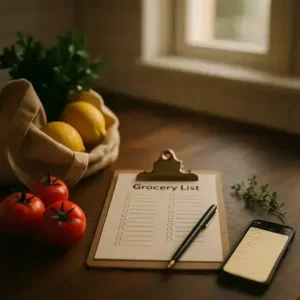
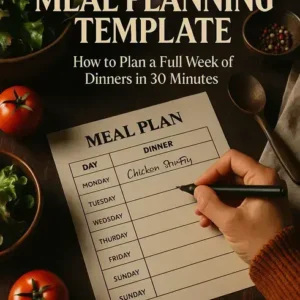
| Meals | Breakfast/Lunch/Dinner Grid, Grocery List, Prep Notes, Leftovers | Meal prep, grocery budgeting, nutrition tracking |
| Self‑Care | Mood Check, Movement, Sleep, Hydration, Screen‑Off Time | Stress management, recovery, better sleep hygiene |
- Work: Fill Sunday with 2–3 outcomes; block interviews or sprints first. Track billable vs. non‑billable for clean invoicing and project margins.
- School: List due dates, then place 50–90 minute study blocks. The American Academy of Pediatrics recommends consistent homework start times for better focus.
- Family: Post on the fridge; add chores and rides. Bedtime targets help anchor evenings and reduce morning chaos.
- Meals: Plan seven dinners and a leftovers night. USDA Dietary Guidelines favor a balanced plate — use prep notes to batch proteins and save money.
- Self‑Care: Track sleep and movement simply. One small habit daily beats a weekend overhaul for stress reduction.
💡 Pro Tip: Print two copies of your main template — one master, one scratch — and color‑code: outcomes in blue, tasks in coral. It keeps priorities visible at a glance.
In practice: Casey runs a busy clinic and a household. She posts Family and Meals on the fridge, keeps Work at her desk, and tucks Self‑Care in a bedside tray. Weekly stress dropped, and planning time stayed under 15 minutes.
Once this is in place, the rest of the routine falls into place naturally.
Your Week, Finally Organized
You learned why a single sheet cuts mental noise, how Sunday goals and a Saturday review direct your focus, and how blocks, a matrix, and habits keep you honest. If you take just one thing from this guide, let it be: pick 2–3 outcomes, block them first, and let your weekly planner printable free do the heavy lifting.
Before, your week felt scattered — shifting priorities, constant pings, and last‑minute meals. Now you can set outcomes on Sunday, anchor non‑negotiables, protect deep‑work blocks, and use reusable sheets to save money and ink. Less guessing. More doing. A calmer Saturday.
Which template are you copying first — Work, School, Family, Meals, or Self‑Care? Tell us in the comments!

About the Author:
Claire Anne Foster is a home organization enthusiast, lifestyle writer, and the founder of this blog — built for people who want a cleaner, calmer home without spending every weekend doing it.
After years of testing every organization system, planner, and cleaning routine she could find, Claire realized that most advice was either too complicated to maintain or too generic to be useful. So she started creating her own — simple, printable, and designed for real life with real schedules.
Claire is not a professional organizer or interior designer — just someone who genuinely loves a well-organized home and believes that the right checklist or routine can change how your entire week feels. Every resource on this site is practical, tested, and designed to be used — not just pinned and forgotten.
When she’s not writing or reorganizing her pantry for the third time, Claire is testing new meal planning systems, exploring better morning routines, and convincing her family that yes, everything does need a labeled bin.