It’s 7:45 p.m.—dinner dishes still soaking, the permission slip missing, and the electric bill hiding under coupons. Sound familiar? That’s the moment a home management binder printable can stop the scramble and give you one calm place to look.
The truth is, scattered notes cost you real time and money—late fees, duplicate grocery buys, missed appointments. And it wears you down. You want a simple hub that everyone can follow, not another app that pings and gets ignored.
By the end, you’ll have a clear, customizable system—sections, tabs, and routines that fit your life. You’ll get a home management binder printable plan with core pages, smart tips, and quick wins you can print today. Grab a pen—we’ll build it together, one tab at a time.
What A Home Management Binder Includes And Why It Works
What belongs in a home management binder — and why does it calm the chaos so fast? It’s simple, yet it isn’t random. It’s a tactile system that keeps your day steady.
Here’s the thing: printables offload memory. The American Psychological Association notes that external memory aids lower cognitive load, which frees your brain for real decisions. You move faster — with less second-guessing.
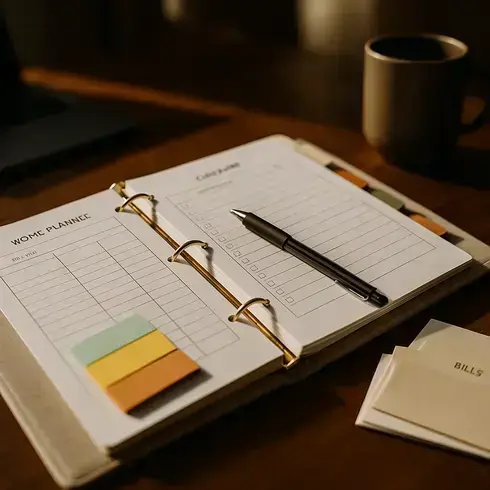
💡 Pro Tip: Keep the binder where decisions happen (often the kitchen). Use a bright “Bills Due” tab and a weekly sticky on the cover. According to the Consumer Financial Protection Bureau, visual bill reminders reduce late-fee risk and support on-time payments.
Core Sections at a Glance
| Section | What It Tracks | Why It Helps |
|---|---|---|
| Calendar & Routines | Monthly view, time-blocks, habit tracker | Sets a rhythm, reduces decision fatigue |
| Bills & Budget | Bill-pay checklist, expense log, subscriptions | Creates cash-flow clarity and fewer surprises |
| Meals & Pantry | Weekly meal plan, freezer/pantry inventory | Cuts waste and last-minute takeout |
| Cleaning & Maintenance | Daily/weekly zones, home maintenance log | Prevents buildup and costly repairs |
| Family & Reference | Contacts, emergency plan, school info | Makes help and handoffs frictionless |
- Budget dashboard: snapshot of income, sinking funds, and due dates (update weekly).
- Bill-pay checklist: tick off each statement as it’s paid; note autopay dates.
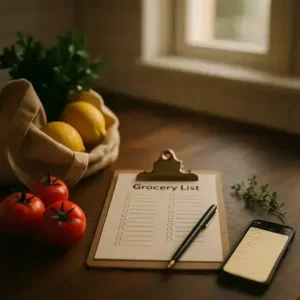
- Meal planner + grocery master: plan once, shop faster, waste less.
- Cleaning routines: simple daily tasks plus a rotating zone.
- Warranty & manuals: staple receipts; log model/serial numbers. Keep sensitive data out.
Picture this scenario: it’s Tuesday, soccer pickup ran late, and dinner looks doomed. You flip to Meals, swap Thursday’s slow-cooker chili to tonight, and check the freezer list — done in 30 seconds.
- Do a 15‑minute Sunday reset: scan calendar, plug meals, flag bills.
- On Monday, clear two quick wins — one bill, one zone task.
- Midweek, audit the pantry and move one meal if plans change.
- Friday, record a maintenance note (filter, battery, or warranty).
- Month‑end, capture a one‑page budget snapshot to spot trends.
For personal finance choices, consider consulting a licensed financial professional for tailored guidance. But there’s one detail most owners completely overlook until it’s too late…
Step-By-Step: Build Your Binder In One Afternoon
Got 90 minutes? You can build a working binder this afternoon. No perfection needed — just clear steps and a kitchen table.
Here’s the thing: batching and time‑blocking cut setup time in half. The National Association of Productivity & Organizing Professionals highlights that simple, visible systems beat complex apps when families share tasks.
What You’ll Need (15 Minutes)
- 1–1.5” ring binder with front pocket
- 5–7 tab dividers + sticky flags
- Sheet protectors and two pocket sleeves
- 24–28 lb paper (reduces bleed‑through)
- Three‑hole punch and fine‑tip pen
- Printer with black ink (color optional)
| Time Block | What You’ll Do | Output |
|---|---|---|
| 10 min | Gather tools + clear workspace | Supplies staged |
| 50 min | Print, punch, and sort pages | Stacks by section |
| 20 min | Label tabs + assemble | Binder built |
| 10 min | Fill quick wins (dates, meals) | Ready to use |
💡 Pro Tip: Print checklists on heavier paper and slide them into sheet protectors — use a dry‑erase marker to reuse daily. Set your printer to “grayscale, draft” for routine pages to save ink.
- Set a 90‑minute timer. Clear a table and silence notifications. Fast builds need focus.
- Choose 5 core tabs: Calendar, Bills, Meals, Cleaning, Reference. Add two optional tabs if needed (Kids, Projects).
- Print starter pages: two monthly calendars, bill‑pay checklist, expense log, weekly meal plan, pantry/freezer inventory, zone‑cleaning chart, emergency contacts.
- Punch and sort. Keep each section in a separate pile. Put frequently used pages at the front.
- Label and assemble. Add one pocket sleeve to Bills (for envelopes) and one to Reference (for forms).
- Make a dashboard. Insert a one‑page “This Week” behind the front cover for at‑a‑glance priorities.
- Fill quick wins. Add upcoming due dates, plan three dinners, and choose one cleaning zone for the week.
- Park it where life happens. Place the binder on a visible counter with a pen loop attached.
In practice: Mia started with loose mail and sticky notes everywhere. Eighty‑five minutes later, her binder held two months of dates, autopay checks, and a three‑meal rotation — dinner drama dropped.
And this is exactly where most people make the most common mistake…
Pick The Right Printables: Templates, Formats, And Sizes
Not all printables fit your life — or your binder. The wrong size wastes ink, time, and patience. The right template snaps your week into focus.
So how do you choose? Match layout to how you think. According to Nielsen Norman Group, readable line length (about 45–75 characters) improves scanning and recall — which is why crowded daily pages feel exhausting.
💡 Pro Tip: Print one sample page first. Set scale to 100%, margins to 0.5”, and use duplex “flip on long edge” for Letter or “short edge” for Half‑Letter. If you’re cutting to A5, turn on crop marks and test with scrap paper.
| Size/Format | Best For | Trade‑Offs |
|---|---|---|
| US Letter (8.5×11) | Kitchen counter hub; large weekly spreads; chore charts | Bulky to carry; higher paper use |
| Half‑Letter (5.5×8.5) | Discbound or compact binders; daily carry | Less writing room; tighter margins |
| A5 (148×210 mm) | International users; sleek planners (ISO 216 standard) | Must print/cut from larger sheets in the U.S. |
Templates also come in flavors — each with a job. Think utility first, then style second.
- Dated vs. Undated: Dated saves setup; undated avoids waste when life gets messy.
- Daily vs. Weekly: Daily handles time‑blocking and task batching; weekly gives the big picture and reduces page turns.
- Vertical vs. Horizontal: Vertical columns suit schedule stacks; horizontal works well for lists and braindumps.
- Minimal vs. Color: Minimal cuts ink costs; color coding speeds scanning for families.
- PDF fillable vs. Print‑only: Fillable lets you type first, then print clean; print‑only is fastest for pen‑and‑paper people.
- Punch format: 3‑hole for standard binders; 6‑hole for A5; discbound requires mushroom‑style punches.
Picture this scenario: your printer tray holds Letter, but you want A5. You print two A5 pages per sheet with crop marks, slice with a paper trimmer, then punch for a discbound — clean, compact, and refillable.
Worth noting: the International Organization for Standardization defines A‑series sizes (ISO 216), so A5 templates scale predictably. For ink savings, many users prefer grayscale on 24–32 lb paper to prevent bleed in duplex printing and keep pages durable for daily use.
Next up, we’ll map daily, weekly, and monthly pages to your real routines — what actually works might surprise you…
Daily, Weekly, And Monthly Pages To Stay On Track
Which page actually keeps you on track — daily, weekly, or monthly? Each plays a different role, and using all three removes guesswork.
Here’s the thing: time‑blocking works because it limits decision fatigue. Harvard Business Review notes that protecting focus windows reduces task‑switching costs, which is why a simple paper schedule beats noisy apps when life gets busy.
| Page Type | Capture This | Update Rhythm / Why It Works |
|---|---|---|
| Daily | Top 3 priorities, time blocks, meals, calls, 10‑min tidy | Fill each morning; converts goals into action and protects energy |
| Weekly | Appointments, kid activities, meal plan, zone task, budget check | Set on Sunday; coordinates the household and prevents last‑minute scrambles |
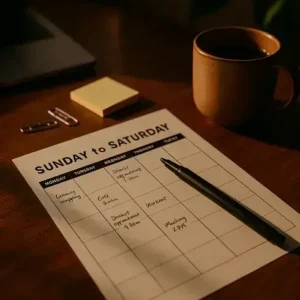
| Monthly | Calendar grid, bills due, subscriptions, maintenance, events | Plan once; lowers surprises, smooths cash flow, and spaces big chores |
💡 Pro Tip: Anchor your binder check to an existing habit — coffee at 7 a.m. for daily pages, Sunday dinner prep for weekly, and the first of the month for bills. Anchors boost follow‑through.
How To Use Each Page Without Overthinking
- Daily: Pick a single “must‑win” task, then batch the rest into two blocks (AM/PM). Add a 5‑line notes area for receipts or errands.
- Weekly: Drop fixed events first, then place meals around them. Add one rotating zone (bathrooms, kitchen, floors) to avoid weekend marathons.
- Monthly: List recurring bills and autopay dates, mark renewal deadlines, and schedule preventive maintenance (filters, smoke‑alarm batteries).
In practice: it’s Wednesday, soccer ran long, and dinner looks shaky. You glance at the Weekly page, swap tonight’s sheet‑pan meal with Friday’s slow cooker, and note it on the Daily — zero panic, no takeout.
Worried about missed payments or clutter creep? A 60‑second nightly sweep on the Daily plus a five‑minute Sunday budget check on the Weekly catches problems early, while the Monthly page shows the bigger pattern (cash flow, travel, birthdays).
Worth noting: keep Daily pages lean. The goal isn’t a diary — it’s a decision tool. And this is exactly where most people make the most common mistake…
Ready-To-Print Starter Kit: Checklists And Pages You Can Use Now
You’re ready to hit print — and actually use this today. No fluff, just pages that move bills, meals, and chores out of your head and into a steady system.
Which pages earn space on day one? The ones that trigger quick wins: one place to check due dates, a simple meal map, and a light rotation for cleaning so weekends aren’t punishment — that’s the whole point of a starter kit.
💡 Pro Tip: Print two masters of each page and slip one into a sheet protector. Use wet‑erase (not dry‑erase) to prevent smudging, and stash fresh copies behind the current sheet so a reset takes seconds.
What’s Inside The Starter Kit
| Page | Fill This | Update / Placement |
|---|---|---|
| Bill Pay Checklist | Payee, amount, due date, autopay toggle | Weekly scan; front of Bills tab |
| Budget Snapshot | Income, fixed bills, sinking funds | Month‑start; behind checklist |
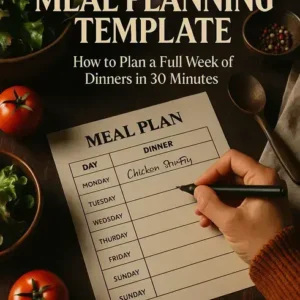
| Weekly Meal Plan | Dinners, leftovers, one backup meal | Sunday set; inside cover dashboard |
| Pantry & Freezer Inventory | Item, quantity, use‑by date | Midweek check; Meals tab |
| Cleaning Zones Tracker | Zone, 3–5 tasks, date completed | Weekly; Cleaning tab top |
| Family Contacts & Emergency | Doctors, schools, ICE numbers, plan | Quarterly; Reference tab pocket |
In practice: you print the kit at lunch, slide sheets into the binder, and jot three dinners (two easy, one leftover). A five‑minute pass through mail fills the Bill Pay boxes. By 6 p.m., you’ve picked this week’s cleaning zone — bathrooms — and it actually feels doable.
Here’s the thing: the Federal Emergency Management Agency recommends sharing a simple family communications plan; parking it in your binder means babysitters and grandparents can act fast. For smarter grocery spending, the U.S. Department of Agriculture’s guidance on date labeling helps you rotate pantry items and cut food waste with confidence.
Store the binder where decisions happen — kitchen counter, not a closed drawer. Add a pen loop, keep spare pages behind each section, and let the kit evolve as your routines change. Once this is in place, the rest of the routine falls into place naturally.
Your Home Binder, Working Now
You pulled the big levers: a fast one-afternoon build, the right templates and sizes for your needs, and a daily–weekly–monthly rhythm that sticks. If you take just one thing from this guide, let it be: one visible system beats scattered notes. A home management binder printable turns mental clutter into clear steps when you update it on a simple routine — that’s the quiet win.
Before, mail piled up, meals slid, and due dates hid under coupons. Now you’ve got clean tabs, quick checklists, and a dashboard you’ll actually use. Fewer late fees. Faster grocery runs. Calmer evenings because the plan lives where you look. It’s not perfection — it’s predictability.
Which page are you printing first — the Bill Pay Checklist, Weekly Meal Plan, or the Daily schedule? Tell us in the comments!

About the Author:
Claire Anne Foster is a home organization enthusiast, lifestyle writer, and the founder of this blog — built for people who want a cleaner, calmer home without spending every weekend doing it.
After years of testing every organization system, planner, and cleaning routine she could find, Claire realized that most advice was either too complicated to maintain or too generic to be useful. So she started creating her own — simple, printable, and designed for real life with real schedules.
Claire is not a professional organizer or interior designer — just someone who genuinely loves a well-organized home and believes that the right checklist or routine can change how your entire week feels. Every resource on this site is practical, tested, and designed to be used — not just pinned and forgotten.
When she’s not writing or reorganizing her pantry for the third time, Claire is testing new meal planning systems, exploring better morning routines, and convincing her family that yes, everything does need a labeled bin.